

First of all, you need to know what you’re doing. If you want to simply use your phone on another network, what you want to do is unlock your iPhone. On the other hand if you want to use unauthorized apps on your iPhone, you want to jailbreak your iPhone. This is ajailbreaking guide.
We will be moving forward by using the Redsn0w jailbreaking software. Once you have already installed iOS 4.0 on your iPhone 3G and have backed up your data, first turn off your phone then follow these steps:
2. Extract the downloaded archive run the Redsn0w executable.
3. When prompted, point it to the original iOS 4 firmware file (in Windows, browse toC:\Users\username\AppData\Roaming\Apple Computer\iTunes\iPod Software Updates and look for the .ipsw file; on Mac, the file will be here: ~/Library/iTunes/iPhone Software Updates/)
4. On the following screen, make sure “Install Cydia” is selected. It is up to your select / deselect other options.
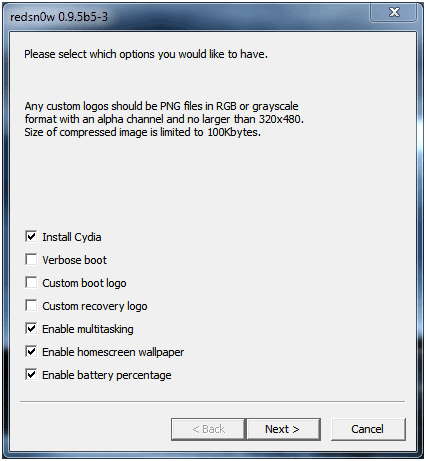
5. Plug the phone in your computer using the USB connection.
6. The next step will require attention. The next screen instructs you on a combination of button presses that will force the phone into a special mode called “DFU” mode. You need to follow the instructions precisely otherwise you will have to go back and repeat the procedure.
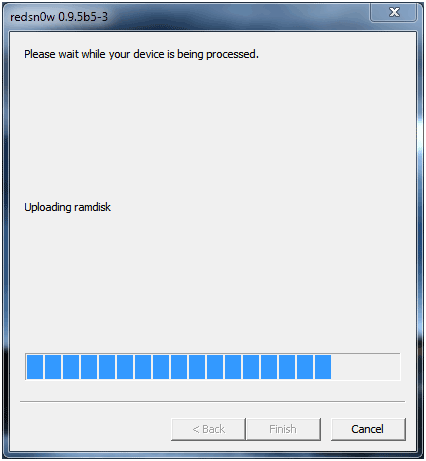
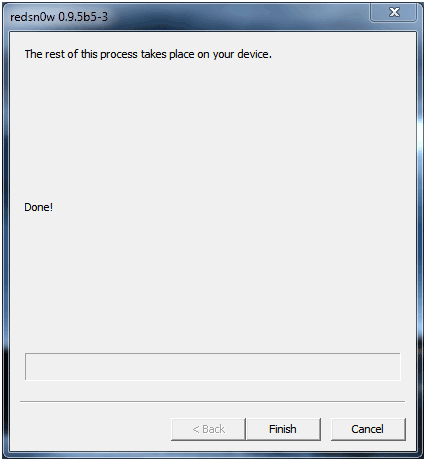
7. In DFU mode, the jailbreaking processing will begin. Files will begin copying. When the process finishes, you have to click the “Finish” button.
8. When your phone restarts, click on the Cydia icon in your homescreen. This is the Cydia store from where you can obtain Apple-unauthorized apps for your phone.
If you need help with an issue on your jailbreaked phone, Apple will not help. They only help un-jailbreaked phones. To roll back your phone’s settings all you need to do is restore your phone to its factory settings via iTunes.


 المشاركات

